
Logs
The Logs module captures and organizes WordPress errors and warnings inside wp-admin —
providing a centralized operational view without relying on server-side debug.log files.
Local storage
Read-only
Overview
Logs is enabled by default. It provides an operational view of what happened recently on your site —
helping you detect issues early, prioritize fixes, and communicate clearly with your team or clients.

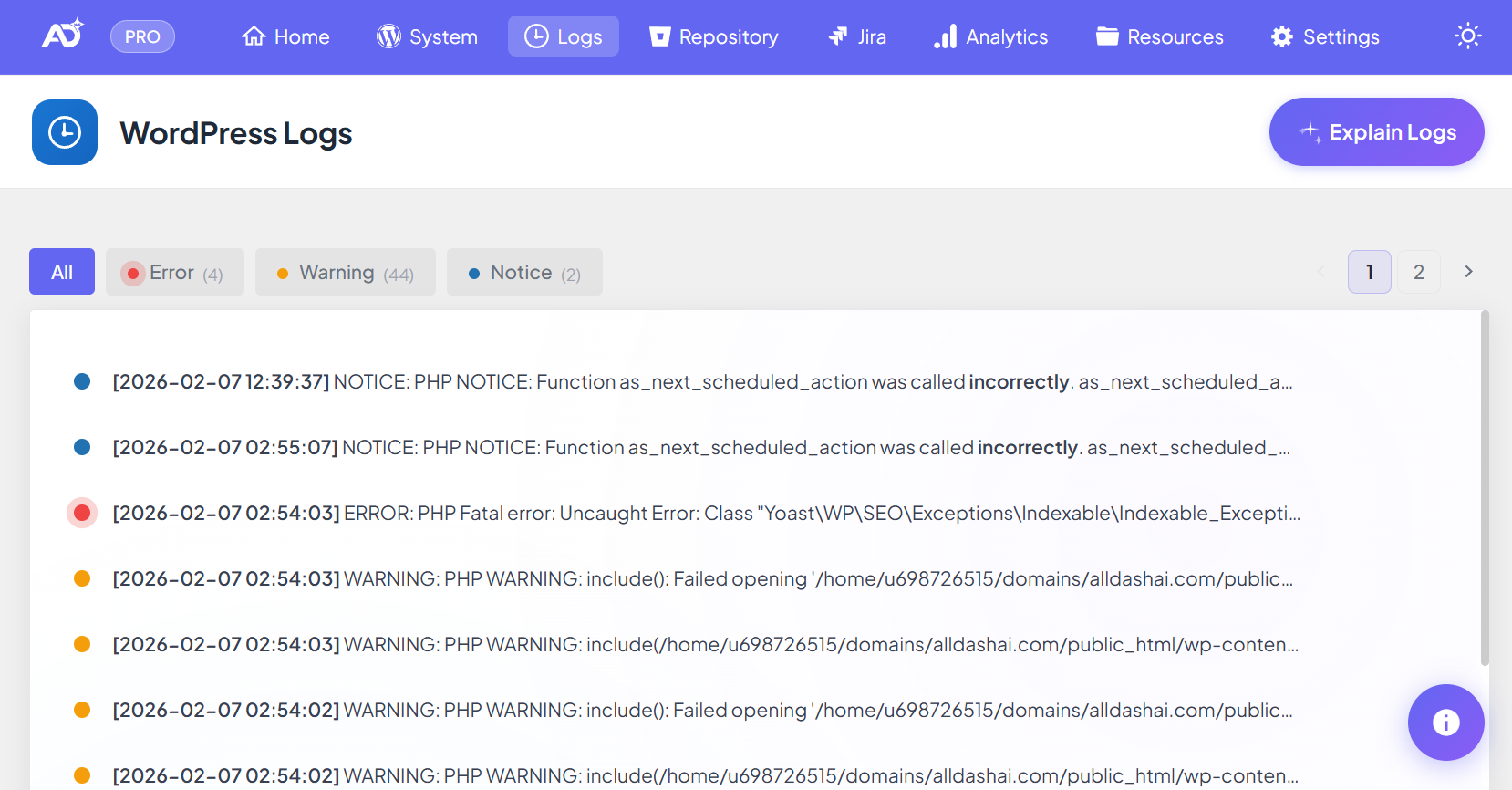 Logs dashboard overview.
Optional settings
- Enable AI in All DashAI → Settings → AI to get explanations and suggested fixes.
- Use Access Control to restrict Logs visibility or allow client-safe access.
Note: These options do not change what Logs captures — only how entries are interpreted and who can view them.
What Logs captures
- PHP runtime events — errors, warnings, notices, deprecated calls.
- Database errors (wpdb) — last error and query details when exposed by WordPress.
The goal is to store actionable operational signals with enough context to speed up diagnosis and resolution.
How it works
Logs captures runtime events during WordPress requests and stores them in a dedicated database table.
Fatal errors can also be captured during shutdown to avoid missing critical failures.
- Storage: Table
{prefix}_dashaiwp_logs(example:wp_dashaiwp_logs). - Read-only: Logs does not modify site configuration.
- Retention: Older entries are trimmed automatically.
Tip: If AI is enabled, use it to transform raw logs into client-friendly explanations and next steps.
Severities
- Error — breaks functionality or impacts users (high priority).
- Warning — signals potential issues.
- Notice — informational but may indicate bugs.
- Deprecated — compatibility warnings (important before PHP upgrades).
- Debug / Info — operational signals when available.
Best practices
- Review Logs weekly on plugin-heavy sites.
- Reduce deprecated warnings before upgrading PHP.
Troubleshooting
No logs are showing
- This can be normal on stable sites.
- Trigger a test warning to confirm capture.
- Check if your environment suppresses runtime errors.
Logs appear without file or line information
- Some events do not expose file and line details.
- Messages usually still identify the responsible component.
Spike in deprecated warnings
- Prioritize plugins or themes generating the most entries.
- Update or replace problematic components.